How should you capture deal values on a pipeline?
For deal values on a pipeline, you should use a currency attribute on the record. Attio gives you a couple of natural approaches depending on how your pipeline is structured.
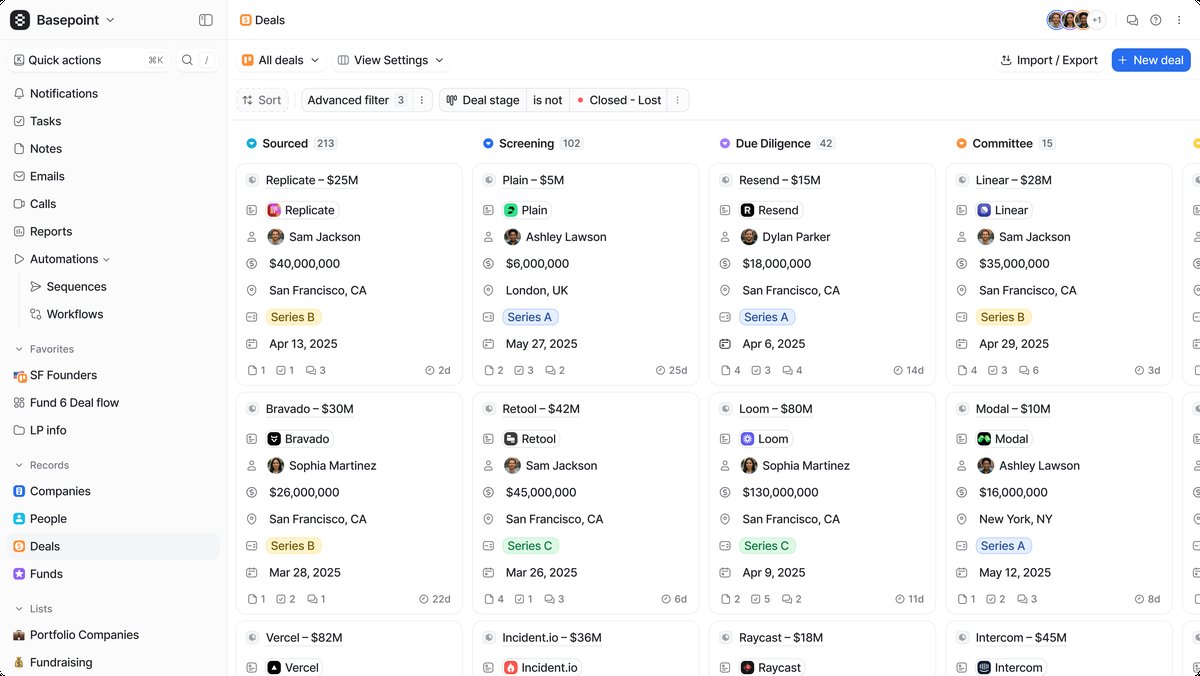 Capturing deal values accurately starts with choosing the right currency attribute setup.
The cleanest setup is adding a currency-type attribute directly to the object your pipeline lives on, whether that's a custom Deals object or Companies. Currency attributes let you store a numeric value tied to a configured currency (GBP, USD, etc.), and they work natively with Attio's reporting and filtering.
A few things worth considering when deciding how to set this up:
The currency attribute should live on the record itself, not as something you try to track per-stage. So if you have a Deals object with a pipeline status attribute tracking stages like "Qualified → Proposal → Negotiation → Closed Won," the deal value sits alongside that as a separate attribute on the same record. This way you can filter and sort your pipeline view by value, build calculated reports, and use it in automations.
If deal values change over time (e.g., scope increases during negotiation), you're generally better off just updating the single currency field rather than trying to maintain a history of values. Attio's audit log captures changes anyway, so you won't lose visibility into what shifted.