How should you structure a multi-stage pipeline in Attio?
Pipelines in Attio are driven by status attributes. A status attribute defines the stages a record moves through ("New Lead → Discovery → Proposal → Negotiation → Closed Won") and each stage becomes a column in a kanban view. Getting the structure right here matters more than most teams realise, because a messy pipeline erodes trust in the data fast.
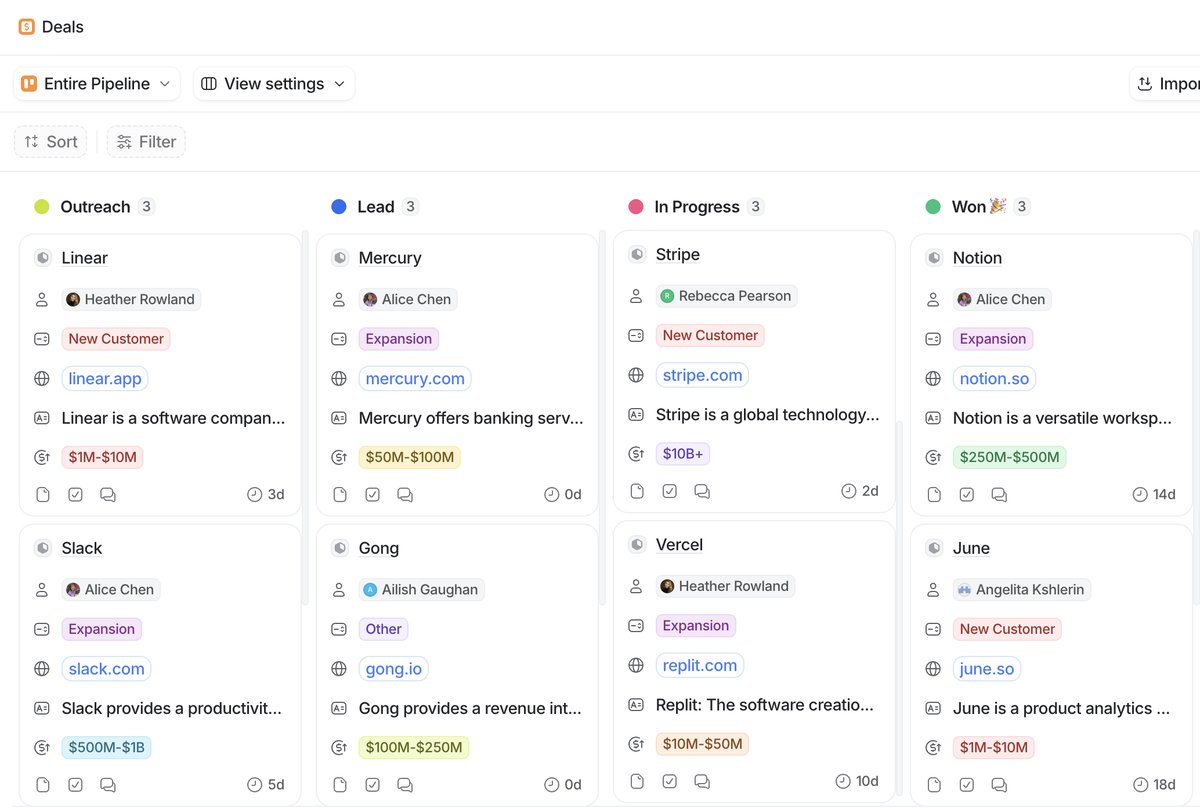 Keep pipeline stages tight. Six or seven at most.
The most important thing is that each stage should represent a meaningful, observable change in the deal's state. If your reps can't clearly tell whether a deal belongs in "Discovery" or "Qualification," those are probably the same stage. In practice, 5 to 7 active stages tends to be the sweet spot. Fewer than that and you lose visibility into where things are stalling. More than that and people stop updating statuses because it feels like busywork.
Status attributes in Attio distinguish between active and closed statuses. Your active statuses are the stages where deals are still in play, everything from first contact through to negotiation. Closed statuses are your terminal states: Closed Won, Closed Lost, maybe Disqualified. This distinction matters because it affects how Attio handles reporting and filtering. When you build pipeline reports or dashboard views, you'll typically want to focus on active deals, and having your closed statuses properly categorised makes that trivial.
One thing I see teams overcomplicate: trying to shove fundamentally different deal types into a single pipeline. If your enterprise sales process has completely different stages from your self-serve product-led motion, don't force them through the same status attribute. Create separate lists, each with its own status attribute and stages tailored to that workflow. A list in Attio is built on an object, so you can have multiple lists referencing the same Deals object, each with different list-specific attributes and views. This keeps each pipeline clean without duplicating your underlying data.
Workflows are where status attributes become really powerful. You can trigger automations on stage changes: sending a Slack notification when a deal hits Proposal, assigning a task when something moves to Negotiation, or auto-populating a close date when a deal reaches Closed Won. Keep your stages clean and these automations stay simple.
The kanban view is the natural home for your pipeline. Each status becomes a column, and your team drags deals between them. If a column is permanently empty or permanently overflowing, that's a signal your stage definitions need adjusting.